
AutoCount Whatsapp
Emails get ignored. WhatsApp gets read in 3 seconds. Stop chasing payments and start pushing invoices directly to your client’s pocket using the AutoCount WhatsApp feature.
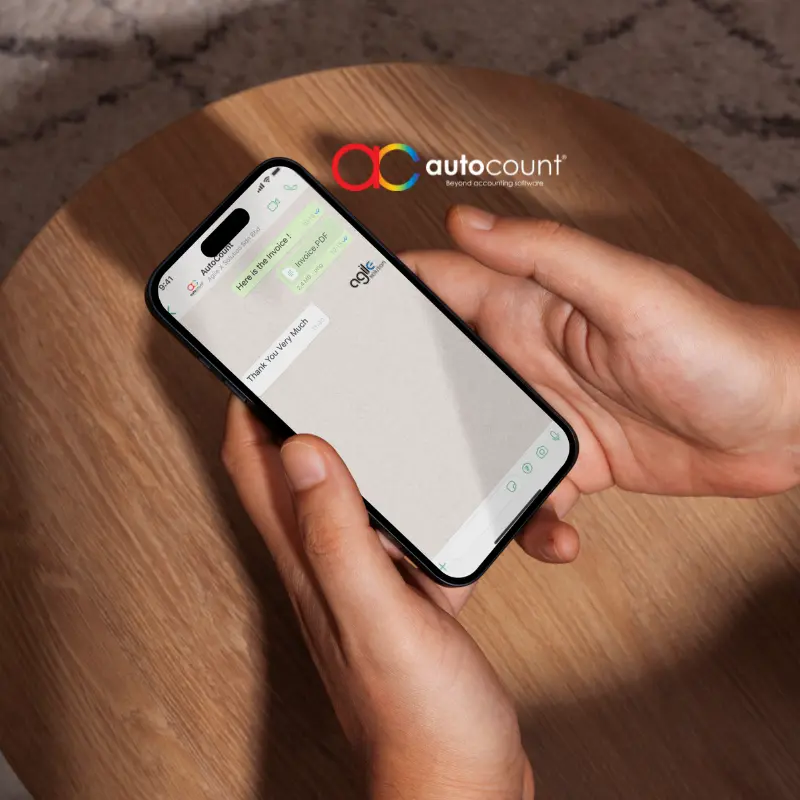
Experience the Convenience of WhatsApp Invoicing
Where to Set Customer Info
The feature will fail if AutoCount does not know where to look for the mobile number. You must configure this in Debtor Maintenance.

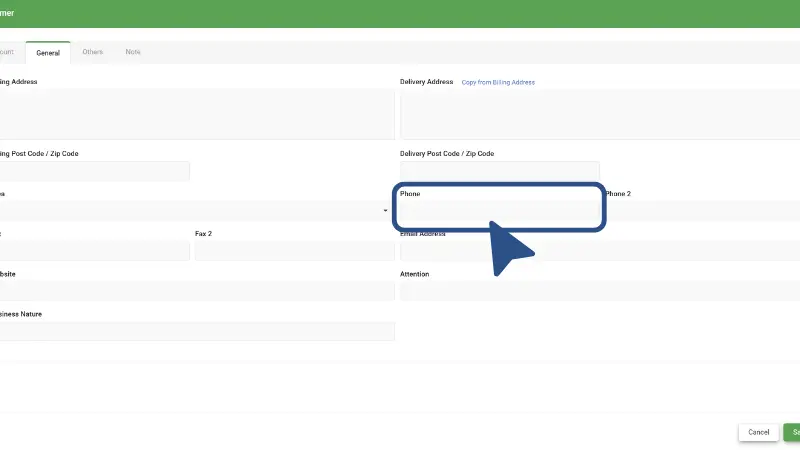
Where to Set Customer Info
The feature will fail if AutoCount Software does not know where to look for the mobile number. You must configure Debtor Phone Number in Debtor Maintenance.
How to Send (The Workflow)
Once setup is done, sending is a 2-click process from any transaction window (Invoice, DO, Quotation).


The Preview Window
Open your invoice and click ‘Preview’. Look for the WhatsApp icon in the top toolbar.
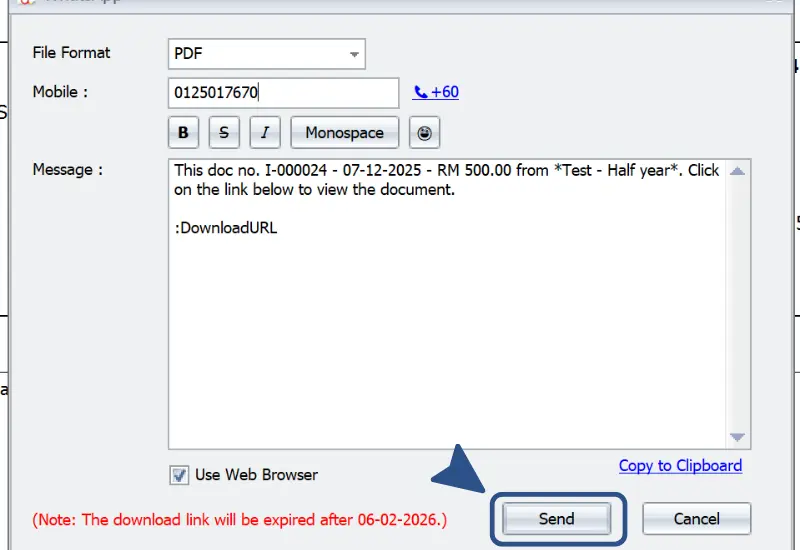
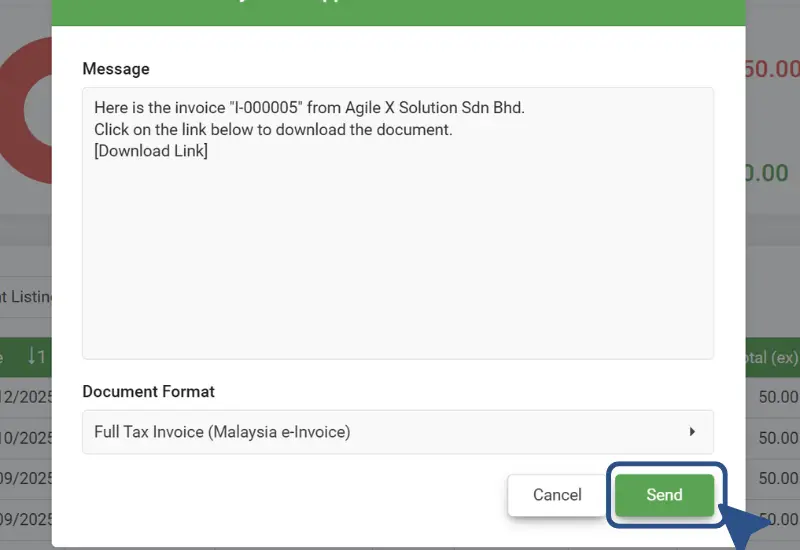
The Confirmation
A popup will confirm the number. Click ‘Send’ to launch WhatsApp Application or Web.
Available on Both AutoCount Platforms

AutoCount On-Premise
Running an older version? Upgrade your license with us to unlock seamless integration today.

AutoCount Cloud
Web suite user? It is built-in. Login and start sending immediately.
Connect with the AutoCount Ecosystem
Ask Agile X Solution Sdn Bhd about AutoCount Software
Chat Now ->
AutoCount WhatsApp Official Web Page
View Now ->
AutoCount WhatsApp Community
Join Now ->
AutoCount WhatsApp Channel
Join Now ->


"With the AutoCount WhatsApp Ecosystem and Agile X Solution’s multi-channel support I get faster responses and everything feels more efficient. My service requests move smoothly and I experience far less friction when I need help."
Melissa Tan
AutoCount User
LEt’s Work Together with Agile X solution
Ready to Transform Your Business with Agile X Solution?
Stay Connected
Contact Agile X Solution today to find out how we can help you achieve seamless financial management and operational efficiency with the right software and custom solutions.